Transition in EspoCRM Currency Management
EspoCRM has evolved significantly in how it handles currency management. Until version 9.3.0, managing currencies was straightforward: you simply entered the currency and its rate. However, recent updates have introduced a more sophisticated system that allows for comprehensive currency rate history tracking, offering businesses greater flexibility and accuracy in financial data management.
Enhanced Features in Recent EspoCRM Versions
With the latest updates, EspoCRM now treats currency exchange rates as entities rather than static, single-entry data. This transformation is crucial for businesses that operate across multiple regions and need precise historical data for financial reporting, audits, and currency conversion accuracy.
Key Improvements Include:
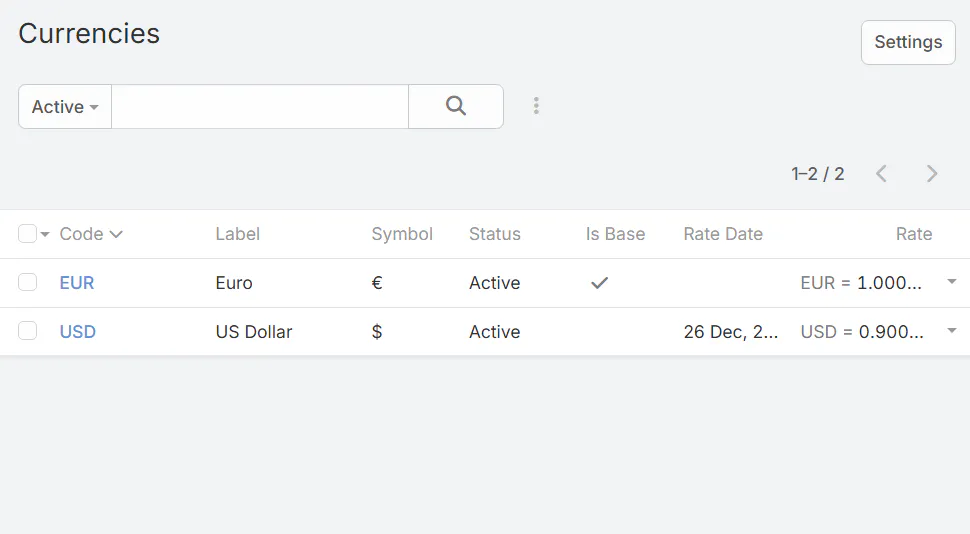
- Historical Tracking: You can now maintain a detailed history of currency rates, providing a timeline of exchange rate changes over time.
- Rate Entities: Currency rates are stored as dedicated entities, making it easier to view, manage, and analyze historical data.
- Access Control: Rate management is restricted to admin users or users with specific access to the Currency scope, ensuring security and data integrity.
- Mandatory Date Field: Each rate entry is associated with a date, crucial for determining the ‘current’ rate based on the latest non-future date.
How to use new Currency Management System
To open Currency Manager:
- Go to administration section
- Click on Currency
- Make sure that all proper currencies are enabled
- Click on button Currency Rates in top right corner
- Edit proper currency.
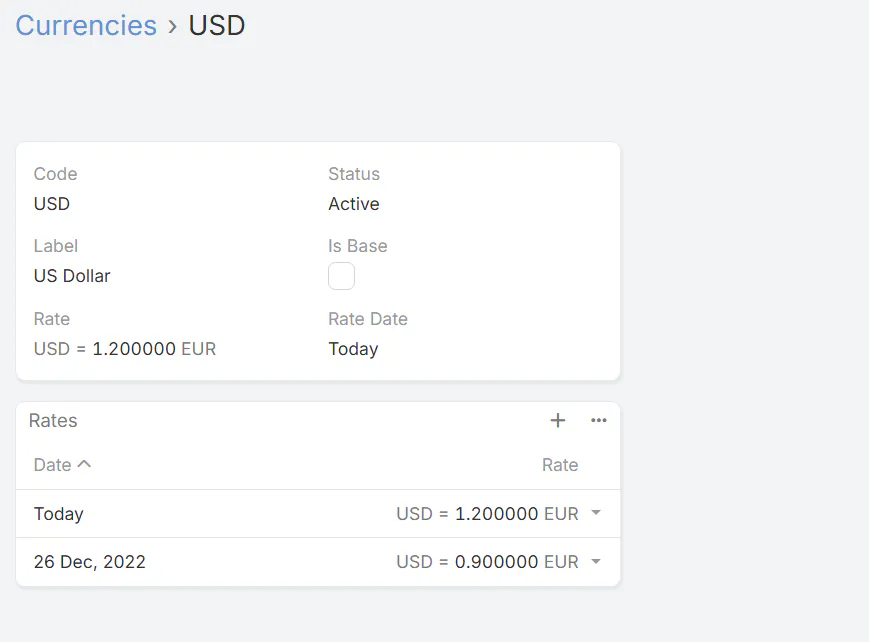
To effectively utilize this advanced currency management feature, consider the following practical tips:
- Regularly update currency rates: Keep your rates current by entering new rates with accurate dates, especially during volatile currency periods.
- Leverage historical data: Use the rate history for precise financial analysis and reporting, understanding how currency fluctuations impact your business over time.
- Control access: Limit who can edit or view currency rates, maintaining data security and preventing unauthorized changes.
- Monitor rate changes: Periodically review the currency rate history to identify trends and anticipate future fluctuations.
Conclusion
EspoCRM’s shift from simple currency rates to a detailed, entity-based system with historical tracking is a game-changer for businesses managing multiple currencies. This upgrade enhances financial accuracy, provides valuable historical insights, and supports better strategic decision-making. Whether you are a finance manager or a CRM administrator, understanding and leveraging these new features can significantly improve your currency management processes, ensuring your business stays agile in a global economy.