EspoCRM 10 marks a significant upgrade for businesses seeking more organized and efficient customer relationship management. One of the standout new features is the ability to assign categories to custom entity types, providing a streamlined way to organize records in a hierarchical, tree-like structure. This feature is particularly useful for businesses managing large volumes of data across diverse categories, such as clients, projects, or products.
How to Enable the Categories Feature in EspoCRM 10
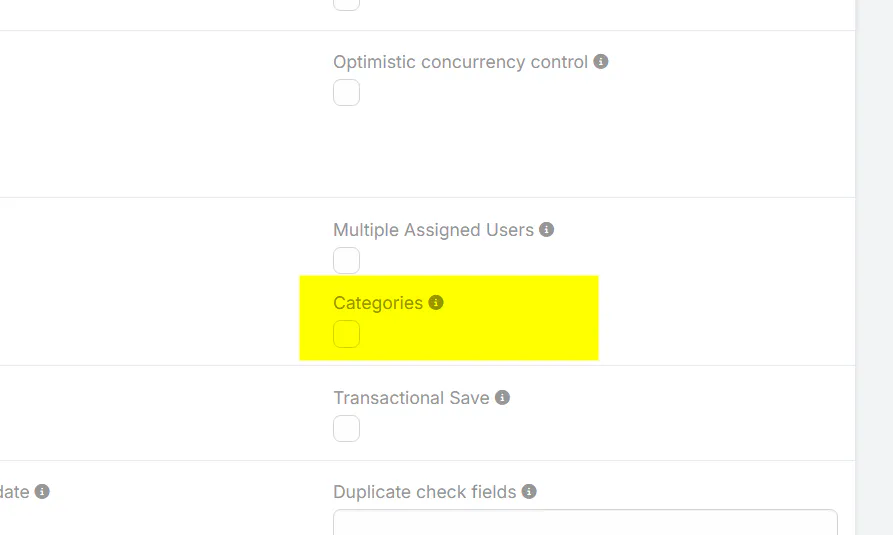
Activating categories for custom entities is straightforward. Follow these steps to start organizing your data more effectively:
- Navigate to Administration in your EspoCRM dashboard.
- Select Entity Manager.
- Choose the specific custom entity type you wish to categorize.
- Click Edit.
- Check the Categories checkbox to enable this feature.
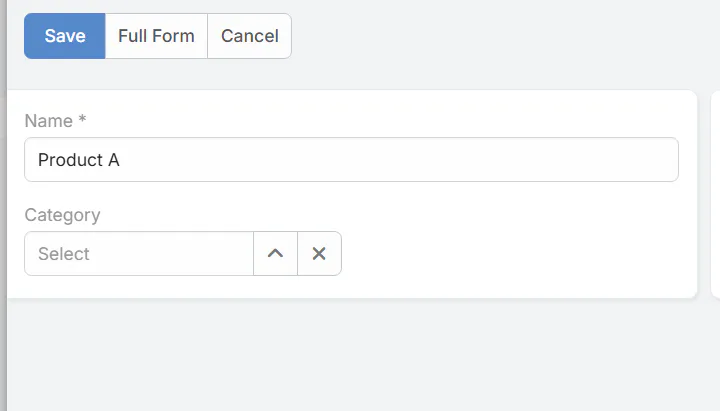
Once enabled, you can create nested categories, allowing records to be grouped into folders or classifications that mimic a tree structure. This makes data retrieval faster and improves overall user experience.
Limitations and Compatibility Considerations
While the categories feature is a powerful addition, there are some technical considerations:
- The categories are compatible with custom entity types based on the Base and Base Plus templates.
- Note that this feature is not compatible if the Kanban view is enabled for the entity. This may require users to choose between advanced categorization and visual project management views.
Benefits of Using Categories in EspoCRM
Implementing categories brings multiple advantages:
- Enhanced organization of records, reducing clutter and making data easier to find.
- Improved navigation and user experience, especially for CRM teams handling complex data structures.
- Facilitates quicker reporting and data analysis by grouping similar records.
- Supports scalable growth as your business expands, with an easy way to segment and manage data.
Conclusion
The addition of categories for custom entity types in EspoCRM 10 is a significant step forward in CRM customization and data organization. By following simple steps to enable this feature, businesses can improve their data management workflows and prepare for scalable growth. Just keep in mind the current limitations with the Kanban view, and plan your interface preferences accordingly.
Stay updated with the latest EspoCRM features to maximize your CRM’s potential. Properly utilizing categories can transform how your team manages and retrieves data, ultimately driving better insights and decision-making.